
Introduction
Employees working in clients' offices, at project sites, in service locations or at various branches do not necessarily go through a central attendance system, and managers may get their check-in updates by means of messages or spreadsheets, making it difficult to compile and review the records.
Two approaches which organisations might consider in relation to eligible field workflows are mobile attendance and geo-fencing. Although they can be used to record attendance in a location-aware way, it is necessary to set them up carefully and they should not be regarded as a full replacement for clear policies or for human review.
What is mobile attendance?
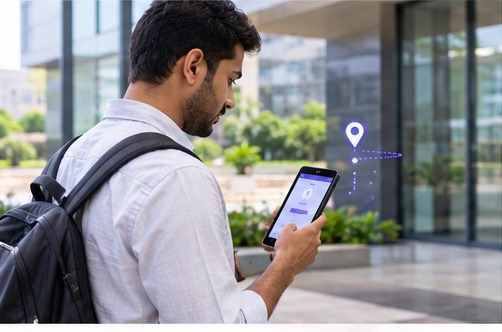
Mobile attendance enables eligible employees to use a supported mobile workflow in order to record their attendance; in different systems the record could contain a timestamp and other information allowed by the configuration, for example the device location at the time of check-in.
Before adopting it, make sure you know which devices and operating systems are supported, whether a reliable network connection is necessary, and what will occur if the employee is unable to access the app or if the device's battery is depleted.
What is geo-fencing?
Geo-fencing involves setting up a virtual boundary around a specific location. When an attendance process is supported, the location data can be used to judge if a check-in seems to have taken place within the area that has been defined.
Geo-fencing is not entirely accurate since GPS accuracy can differ due to buildings, indoor environments, device settings, connectivity, and the surrounding conditions. When a location result has an impact on attendance approval or employee pay it should be interpreted in context.
Benefits and practical limitations
The advantages would be that attendance could be kept in a more organised manner at the approved work sites, that location-related information would be easier to access and that there would be less need for manual updates. However, these benefits will depend on whether the feature is supported, how it is set up and how the employees use it.
The limitations are weak location signals, legitimate work carried out outside of the specified boundary, problems with the device, and privacy concerns. Instead of automatically treating each failed location check as misconduct, the system should offer employees a clear procedure for explaining exceptions.
Set clear rules before rollout
State which roles are allowed to use mobile attendance, which locations are approved, when a location check is necessary and how temporary site changes should be managed. Clarify what information is gathered and when it is gathered. Do not collect any location information beyond that which is required for the purpose of attendance.
Provide employees with a simple method of reporting technical problems or asking for corrections. You should decide who is responsible for reviewing the requests, what kind of evidence is suitable, and how decisions are to be recorded. Managers must receive training so as to apply the rules in a consistent manner.
Privacy and employee communication
Since information about location can show things about a person's movements, organisations should make it clear to people what purpose the collection serves and what its limits are. They should state whether location is only recorded at the event when attendance is taken or in some other way, indicate who can have access to it, explain how long the records are kept and also tell employees how they can raise questions.
Check the relevant data protection requirements, including the India Digital Personal Data Protection Act of 2023 and the rules and provisions that were in effect at the time of deployment. Get legal advice if necessary and make sure that the setup chosen aligns with the organisation's stated purpose and obligations.
How to measure whether it works
Prior to the rollout, note the current method of reporting attendance, the amount of time that managers spend checking the entries and the number of attendance queries that occur each month. Following the pilot, carry out the same comparisons and obtain feedback from both employees and supervisors.
Success should not be judged solely on the number of location checks carried out; it is also important to evaluate whether genuine employees are able to record their attendance reliably, how exceptions are dealt with, and whether the process is just and practical.
How 1UPAMS may fit
The location-based attendance workflows are supported by 1UPAMS as long as they are enabled and supported by the chosen configuration. Request the team to show you how location information is obtained, which devices are supported, how the boundaries are set up and how exceptions can be examined. Make sure that the exact scope of the feature is confirmed before including it in an employee policy.
Conclusion
Mobile and geo-fenced attendance can be helpful for teams who work from outside a single office, but just as important as the technology itself is how it is implemented. You should define the purpose, test at actual locations, communicate clearly and establish a fair process for exceptions.
Discuss your attendance requirements
Tell us about your team size, shifts, locations and reporting needs.
Book a free demo